- When the machine is turned off, long press the K2 button for 2 seconds to turn it on. The machine will enter normal working mode without Jump-Start function.
- When the machine is turned off, quickly double-click the K2 button to turn it on. The machine will enter working mode with Jump-Start function.
- When the machine is on, press the K2 button once to start or stop the motor.
- When the machine is on and the motor is off, press K1 or K3 to select the memorized voltage value for different working modes.
- When the machine is on and the motor is off, long press K1 or K3 to set the current memory voltage value.
- When the machine is on and the motor is running, press K1 or K3 once to fine-tune the output voltage.
- When the machine is on and the motor is running, long press K1 or K3 to quickly adjust the output voltage.
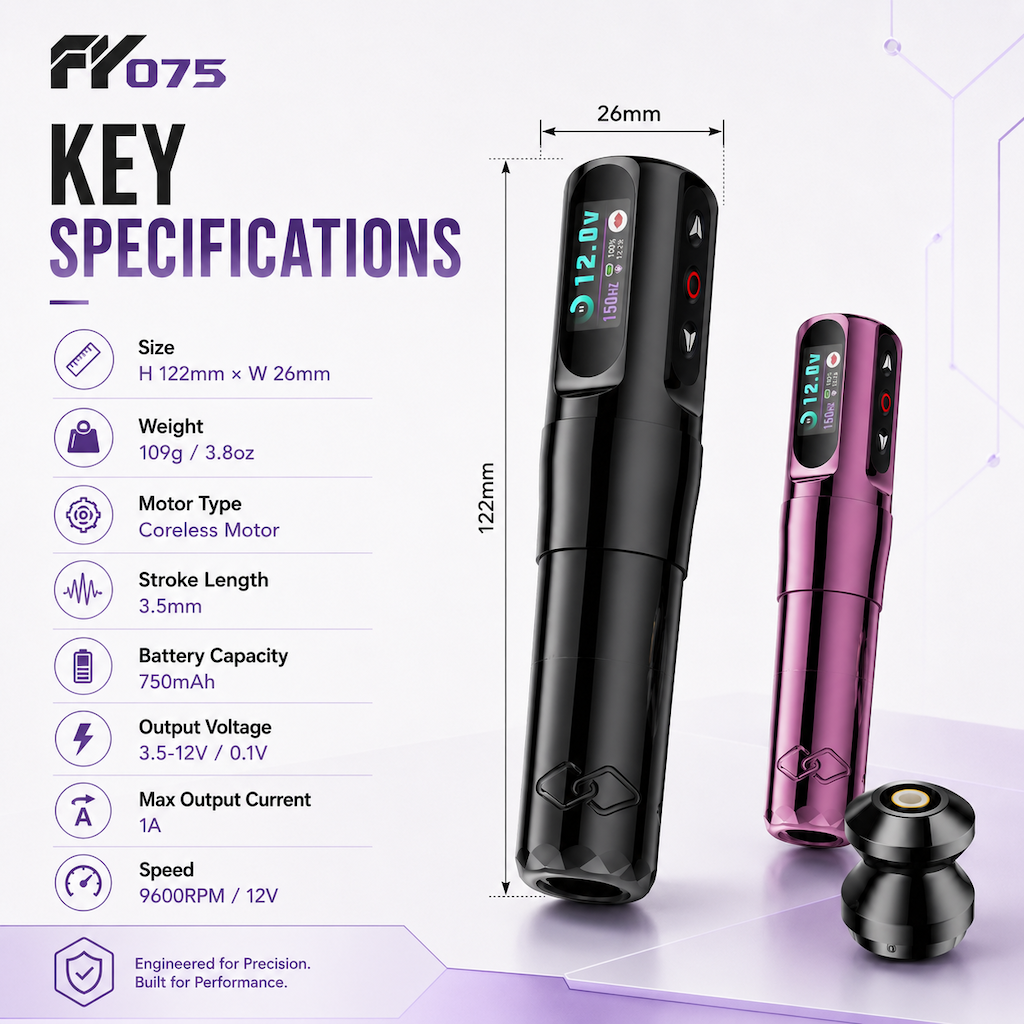
Display Screen
B: Memory Value Icon — Lip Tattoo / Eyebrow Tattoo / Body Tattoo
C: Jump-Start Icon — Purple: No Jump-Start / Red: Jump-Start
D: Battery symbol and remaining battery percentage
E: Current output voltage value
F: Motor start/stop indicator
G: Motor running time
H: Motor frequency detection value
Additional Notes
- When the machine is turned on and the motor is off, it will automatically shut down after 5 minutes of standby.
- When the battery is charging, the motor will not work and button operation is disabled.
- Whether the machine is turned off or on, plugging in the charger will make it enter charging mode directly.
Protection Tips
LOW POWER: Low battery protection alert
OVERLOAD: Motor overload protection alert
SHORT OUT: Motor short circuit protection alert
Please Note
- Store the machine in a cool and dry place, away from children.
- Use a 5V adapter with at least 1A output to charge the battery through the Type-C port.
- To extend battery life, unplug the charging cable in time after the battery is fully charged